The Random Question Thread

'03-'05: no chrome strip

Infiniti-FX35_2003_1024x768_wallpaper_01.jpg

'06-'08: yes chrome strip

06_fx45_01.jpg
 

Attachments

  • Infiniti-FX35_2003_1024x768_wallpaper_01.jpg
    Infiniti-FX35_2003_1024x768_wallpaper_01.jpg
    57.6 KB · Views: 2
  • 06_fx45_01.jpg
    06_fx45_01.jpg
    162.1 KB · Views: 3
how can you tell the difference between 03-05 and 06-06 bumper?

As far as I know, the only difference in the bumper is the lack of the bottom chrome piece on the 03-05 generation. Last time I checked, I was told they were completely interchangeable - the only issue is that the grill has to match the bumper (as they are different for each gen and will not fit a bumper from the other gen.)

---------- Post Merged at 03:59 PM ---------- Previous Post was at 03:57 PM ----------

sorry, slow-typing today.. what Stu said :)
 
Does anyone know of a website where it easily and clearly compare car model years and the differences between each year and predictions of refresh, recommendations to wait or not, etc?
 
Does anyone know of a website where it easily and clearly compare car model years and the differences between each year and predictions of refresh, recommendations to wait or not, etc?

Msn autos is a very basic version of what you've described. You can see all the different body styles/years for a particular model, compare them with itemized lists, and deduce the refreshes based on previous cycles.
The downside is that it's a little light on specific details, and sometimes only lists general specs for some of the newer or less popular models.

SfmDRuT2
 
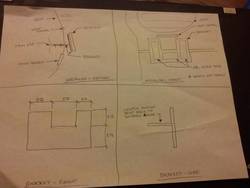
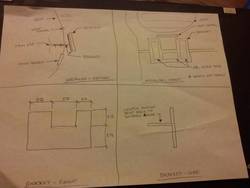
So I want to incorporate a 3.5" screen onto one of the empty dash panels (if car was upgraded this panel would have buttons)

Can someone recommend a friendly material to use for beginners to fix the screen onto the panel ?. Some kind of epoxy or putty ? Im clueless.


sent
 
So I want to incorporate a 3.5" screen onto one of the empty dash panels (if car was upgraded this panel would have buttons)

Can someone recommend a friendly material to use for beginners to fix the screen onto the panel ?. Some kind of epoxy or putty ? Im clueless.


sent

Which screen?

SfmDRuT2
 
Which screen?

SfmDRuT2

Some cheapo screen off amazon for a backup cam.

http://www.amazon.com/gp/product/B0045IIZKU/ref=oh_details_o00_s00_i00

This is the panel where i want to incorporate it. Thinking about the best way to mount it without it looking like a hack job:

http://www.youtube.com/watch?v=vl4JDzoOogg&feature=plcp

In that video, i currently have the same tiny coin holder. Thinking about moving it to the center slot then molding/making a joint from the coinholder that attaches to the screen. Or maybe i should remove the coinholder completely and just mount the screen to the panel.
 
Last edited:
anyone know if a 3rd gen i3/8GB of RAM PC is good enough to do Lightroom 4? I DO NOT do video editing if that matters.


YES, more than enough. I had Lightroom 4 running flawlessly on a Pentium D with 4GB RAM.

With photo-editing software such as lightroom, you're not doing anything CPU-intensive. RAM plays much more of a role than CPU as the catalog/collection sits in the RAM while you use it. The minimal photo filters/adjustments/crops are the only things that are CPU-dependent and since those are all of a basic level, you're mode than good with your i3.

Photoshop on the other hand, would benefit greatly from a fast pc, a dedicated graphic card and a good amount of ram as the types of processes it carries out pull a little more juice from the CPU/GPU. But even still, your set-up would work just fine. Even if you DID want to get into video editing.
 
Mine runs slow with 8GB of RAM in LR4(when editing a 500 picture folder). So it depends...
 
Back
Top