Handy_Andy's Mini Meets

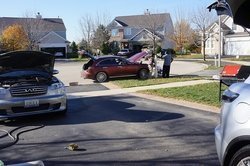
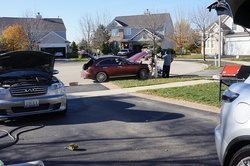
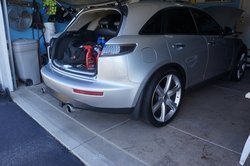
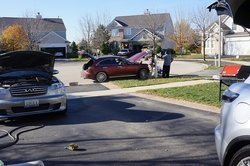
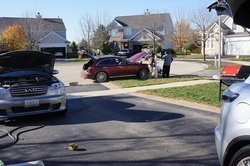
AeroBFA (Andrew) & FX45Chicago (Chris) will be out by me doing some misc installs & hangout tomorrow. Any local guys want to join us?
 
:good: :smile (2):
1. la_fx35
2. FX45Chicago
3. AeroBFA
4. RipnFX (in spirit)
5. tchuck (via speakerphone)
6.


SfmDRuT2
 
I'd certainly drop by to visit, but unfortunately I have to pass, my daughter and grandkids are coming over today. If this had of been last week, I was less than an hour away.
As Andrew said take lots of pics.
 
Last edited:
love to make it but lola in down pissing antifreeze. sitting at my dealership, got no ride.problems witg the temp sensor tap. Any advice HA? epoxy isnt holding pressure.
 
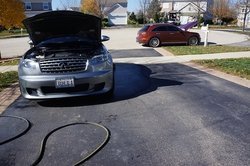
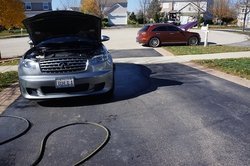
I was able to sneak a full wash using only OPNR instead of regular car wash soap. Love this product, this my third time using it. The other two times were the standard OPNR wash. This product really makes paint looking good. Love it.

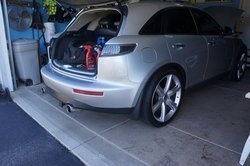
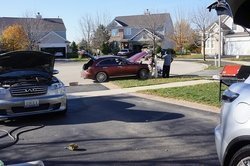
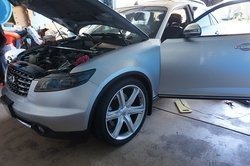
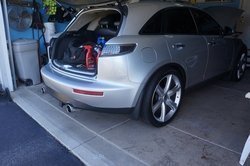
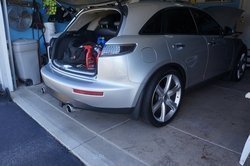
AeroBFA (Andrew) got his oil change done and grill for us.

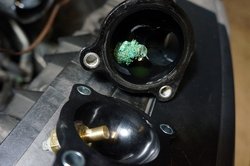
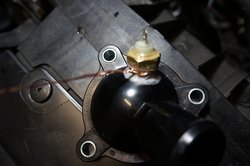
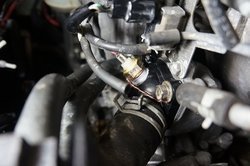
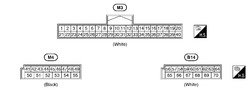
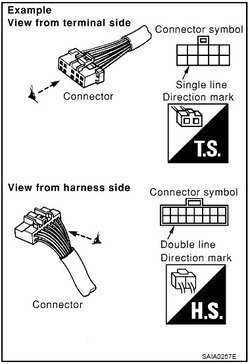
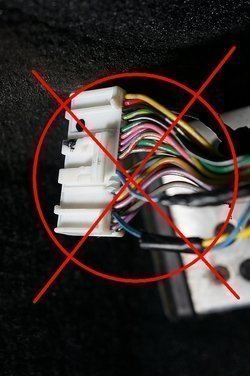
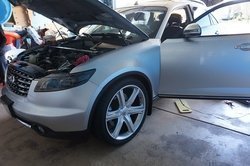
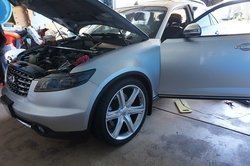
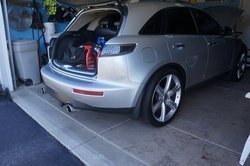
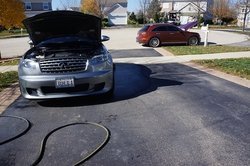
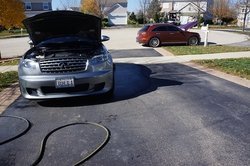
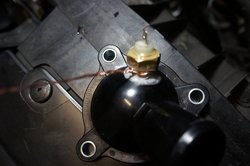
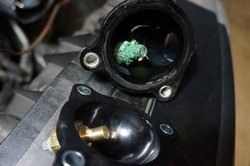
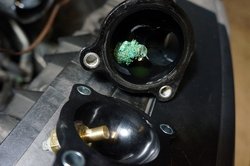
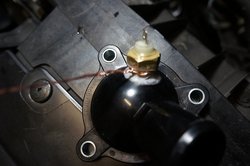
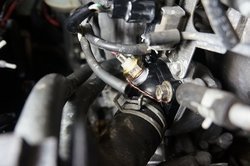
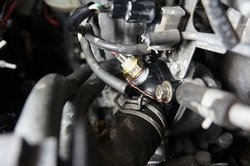
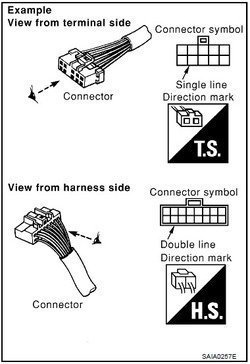
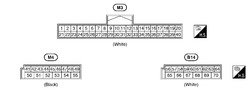
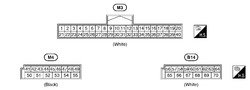
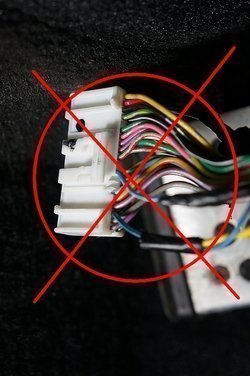
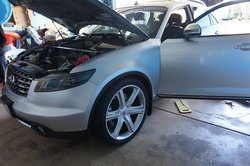
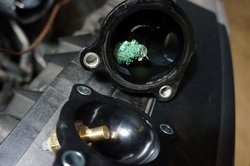
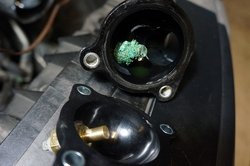
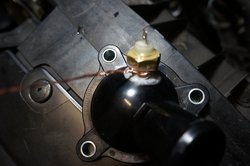
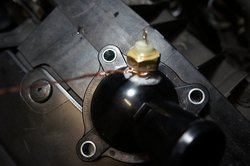
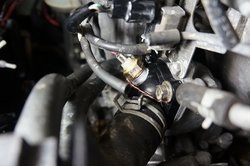
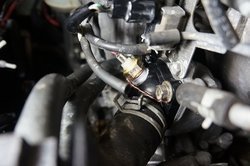
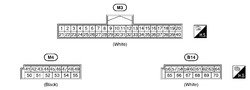
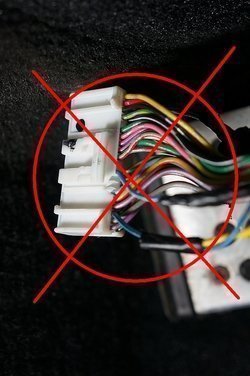
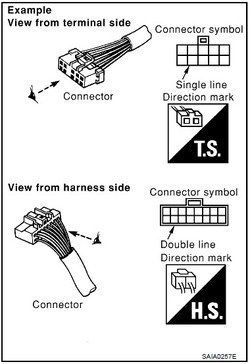
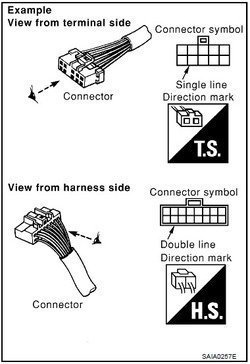
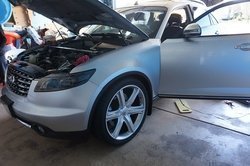
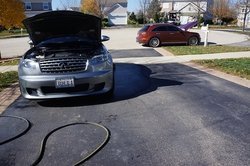
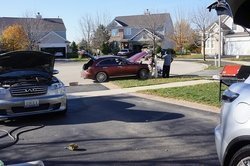
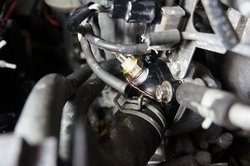
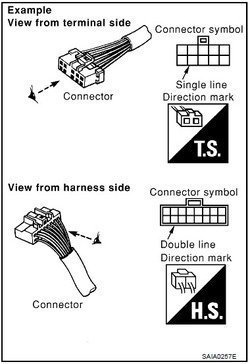
FX45Chicago (Chris) took his Dice MediaBridge out of the center console and updated it with the latest firmware for this iPhone 5 support. While, I'm working on getting the KP Technologies MX20 Fog Light module installed and replace the leaky thermostat cap with a coolant temp sensor for the e-fan mod. Got the thermostat cap installed, but got hung up on the KP fog light module. I think I might need glasses pretty soon. I miss interpreted the included diagram on a DIY from the Org. The diagram was view from the back of the harness for the wire location. So needless to say, I tabbed the wrong wires. :embarrassed: Once the fog light module wired up, Chris would like to use it to control on/off of the fog and his LED halos.
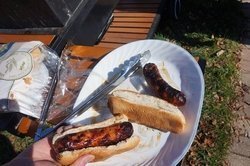
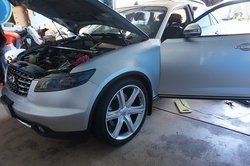
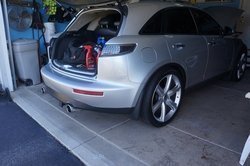
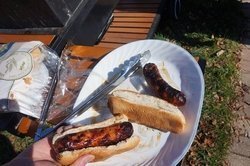
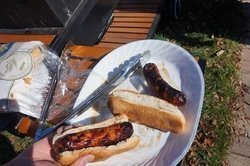
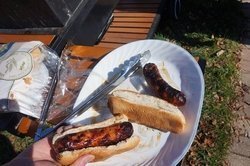
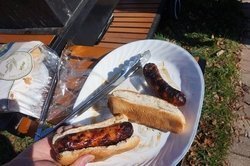
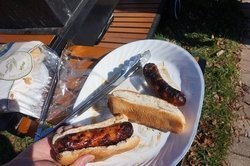
Anyhow, only had the chance for a couple pics. I think the best one is the sausage pic :smile (2):
DSC05344_zps62135cd9.jpg
DSC05343_zpsfadc3525.jpg
DSC05342_zps310fb01f.jpg
DSC05341_zps1a7f9712.jpg
DSC05346_zps30e9d336.jpg

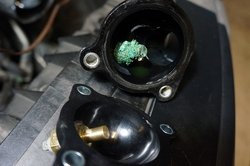
Not sure why all the corrosion on the old sensor.
DSC05376_zps1525fa5a.jpg

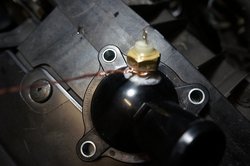
Not sure how the original installer got it to work without grounding the sensor like I did in this pic.
DSC05382_zps6d215672.jpg
DSC05385_zpsf1ac2419.jpg


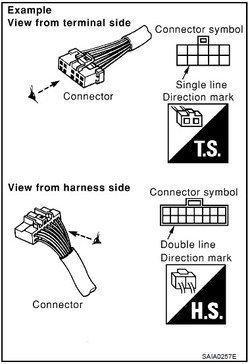
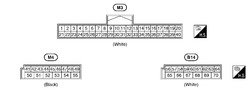
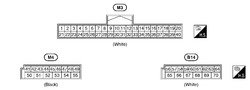
Note the double lines around the connector indicates that you view it from the back (the harness side).
Connector2_zpsff1b382a.jpg
Connector1_zps1ca90538.jpg

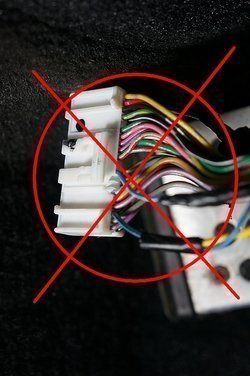
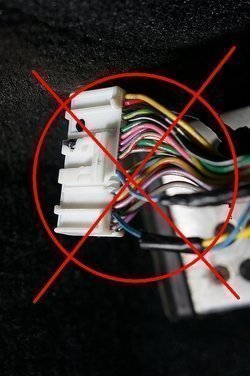
Tabbed the wrong wires on the BCM connector! :embarrassed:
DSC05368_2_zps69c92146.jpg
 

Attachments

  • DSC05344_zps62135cd9.jpg
    DSC05344_zps62135cd9.jpg
    217.4 KB · Views: 5
  • DSC05344_zps62135cd9.jpg
    DSC05344_zps62135cd9.jpg
    217.4 KB · Views: 3
  • DSC05343_zpsfadc3525.jpg
    DSC05343_zpsfadc3525.jpg
    195.7 KB · Views: 4
  • DSC05343_zpsfadc3525.jpg
    DSC05343_zpsfadc3525.jpg
    195.7 KB · Views: 8
  • DSC05342_zps310fb01f.jpg
    DSC05342_zps310fb01f.jpg
    190.5 KB · Views: 6
  • DSC05342_zps310fb01f.jpg
    DSC05342_zps310fb01f.jpg
    190.5 KB · Views: 4
  • DSC05341_zps1a7f9712.jpg
    DSC05341_zps1a7f9712.jpg
    303.3 KB · Views: 4
  • DSC05341_zps1a7f9712.jpg
    DSC05341_zps1a7f9712.jpg
    303.3 KB · Views: 4
  • DSC05346_zps30e9d336.jpg
    DSC05346_zps30e9d336.jpg
    285.9 KB · Views: 5
  • DSC05346_zps30e9d336.jpg
    DSC05346_zps30e9d336.jpg
    285.9 KB · Views: 3
  • DSC05382_zps6d215672.jpg
    DSC05382_zps6d215672.jpg
    136.1 KB · Views: 5
  • DSC05376_zps1525fa5a.jpg
    DSC05376_zps1525fa5a.jpg
    165.3 KB · Views: 3
  • DSC05376_zps1525fa5a.jpg
    DSC05376_zps1525fa5a.jpg
    165.3 KB · Views: 5
  • DSC05382_zps6d215672.jpg
    DSC05382_zps6d215672.jpg
    136.1 KB · Views: 4
  • DSC05385_zpsf1ac2419.jpg
    DSC05385_zpsf1ac2419.jpg
    153.7 KB · Views: 3
  • DSC05385_zpsf1ac2419.jpg
    DSC05385_zpsf1ac2419.jpg
    153.7 KB · Views: 3
  • Connector1_zps1ca90538.jpg
    Connector1_zps1ca90538.jpg
    37.5 KB · Views: 1
  • Connector2_zpsff1b382a.jpg
    Connector2_zpsff1b382a.jpg
    22.7 KB · Views: 4
  • Connector2_zpsff1b382a.jpg
    Connector2_zpsff1b382a.jpg
    22.7 KB · Views: 2
  • Connector1_zps1ca90538.jpg
    Connector1_zps1ca90538.jpg
    37.5 KB · Views: 3
  • DSC05368_2_zps69c92146.jpg
    DSC05368_2_zps69c92146.jpg
    168.2 KB · Views: 5
  • DSC05368_2_zps69c92146.jpg
    DSC05368_2_zps69c92146.jpg
    168.2 KB · Views: 4
Thanks for posting Andy, looks like a lot got accomplished. Cars look good, sausages look yummy, that old temperature sensor was really corroded. I told you that ONR was great stuff, I have been using it for a few years and love it.
 
I was able to sneak a full wash using only OPNR instead of regular car wash soap. Love this product, this my third time using it. The other two times were the standard OPNR wash. This product really makes paint looking good. Love it.

AeroBFA (Andrew) got his oil change done and grill for us.

FX45Chicago (Chris) took his Dice MediaBridge out of the center console and updated it with the latest firmware for this iPhone 5 support. While, I'm working on getting the KP Technologies MX20 Fog Light module installed and replace the leaky thermostat cap with a coolant temp sensor for the e-fan mod. Got the thermostat cap installed, but got hung up on the KP fog light module. I think I might need glasses pretty soon. I miss interpreted the included diagram on a DIY from the Org. The diagram was view from the back of the harness for the wire location. So needless to say, I tabbed the wrong wires. :embarrassed: Once the fog light module wired up, Chris would like to use it to control on/off of the fog and his LED halos.
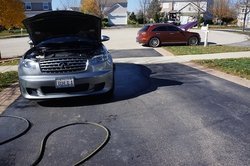
Anyhow, only had the chance for a couple pics. I think the best one is the sausage pic :smile (2):
DSC05344_zps62135cd9.jpg
DSC05343_zpsfadc3525.jpg
DSC05342_zps310fb01f.jpg
DSC05341_zps1a7f9712.jpg
DSC05346_zps30e9d336.jpg

Not sure why all the corrosion on the old sensor.
DSC05376_zps1525fa5a.jpg

Not sure how the original installer got it to work without grounding the sensor like I did in this pic.
DSC05382_zps6d215672.jpg
DSC05385_zpsf1ac2419.jpg


Note the double lines around the connector indicates that you view it from the back (the harness side).
Connector2_zpsff1b382a.jpg
Connector1_zps1ca90538.jpg

Tabbed the wrong wires on the BCM connector! :embarrassed:
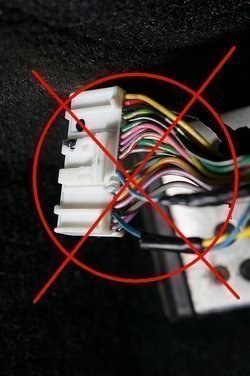
DSC05368_2_zps69c92146.jpg

Just saw this lol, so does this mean you can stab the correct ones? Lol


Sent from my iPhone
 

Attachments

  • DSC05343_zpsfadc3525.jpg
    DSC05343_zpsfadc3525.jpg
    195.7 KB · Views: 4
  • DSC05344_zps62135cd9.jpg
    DSC05344_zps62135cd9.jpg
    217.4 KB · Views: 5
  • DSC05344_zps62135cd9.jpg
    DSC05344_zps62135cd9.jpg
    217.4 KB · Views: 3
  • DSC05343_zpsfadc3525.jpg
    DSC05343_zpsfadc3525.jpg
    195.7 KB · Views: 3
  • DSC05342_zps310fb01f.jpg
    DSC05342_zps310fb01f.jpg
    190.5 KB · Views: 4
  • DSC05341_zps1a7f9712.jpg
    DSC05341_zps1a7f9712.jpg
    303.3 KB · Views: 3
  • DSC05341_zps1a7f9712.jpg
    DSC05341_zps1a7f9712.jpg
    303.3 KB · Views: 4
  • DSC05342_zps310fb01f.jpg
    DSC05342_zps310fb01f.jpg
    190.5 KB · Views: 6
  • DSC05346_zps30e9d336.jpg
    DSC05346_zps30e9d336.jpg
    285.9 KB · Views: 4
  • DSC05346_zps30e9d336.jpg
    DSC05346_zps30e9d336.jpg
    285.9 KB · Views: 3
  • DSC05376_zps1525fa5a.jpg
    DSC05376_zps1525fa5a.jpg
    165.3 KB · Views: 4
  • DSC05376_zps1525fa5a.jpg
    DSC05376_zps1525fa5a.jpg
    165.3 KB · Views: 4
  • DSC05382_zps6d215672.jpg
    DSC05382_zps6d215672.jpg
    136.1 KB · Views: 3
  • DSC05382_zps6d215672.jpg
    DSC05382_zps6d215672.jpg
    136.1 KB · Views: 4
  • DSC05385_zpsf1ac2419.jpg
    DSC05385_zpsf1ac2419.jpg
    153.7 KB · Views: 4
  • DSC05385_zpsf1ac2419.jpg
    DSC05385_zpsf1ac2419.jpg
    153.7 KB · Views: 3
  • Connector2_zpsff1b382a.jpg
    Connector2_zpsff1b382a.jpg
    22.7 KB · Views: 2
  • DSC05368_2_zps69c92146.jpg
    DSC05368_2_zps69c92146.jpg
    168.2 KB · Views: 2
  • Connector1_zps1ca90538.jpg
    Connector1_zps1ca90538.jpg
    37.5 KB · Views: 4
  • Connector1_zps1ca90538.jpg
    Connector1_zps1ca90538.jpg
    37.5 KB · Views: 1
  • Connector2_zpsff1b382a.jpg
    Connector2_zpsff1b382a.jpg
    22.7 KB · Views: 1
  • DSC05368_2_zps69c92146.jpg
    DSC05368_2_zps69c92146.jpg
    168.2 KB · Views: 4
Back
Top