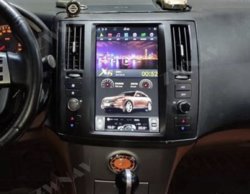
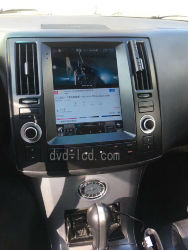
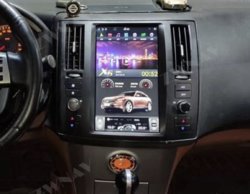
Ebay "Tesla" Style Center Dash Screen Console

It reads that it's compatible with 2004 and if that were true, it would be good for a 2003 as well.
The photo's they show on the site indicate that for those with the Bose tape player (2003-2005 I think) this is no bueno. This kit is made for those without the tape player but with some fabrication I don't see why it wouldn't work.
I'm interested for sure and like the one in the pic below as well. I looked for something like this awhile back and there was something for the 2nd gen only. It's nuts that people are still innovating for the 1st gen FX. Nice find!:tup:
s-l1600.jpg
 
Yea I actually only saw the 2nd gen one first, but was surprised to find one for the 1st gen. Let us know if you do end up getting one ;).
 
Here's the scoop on both units. I sent emails last night.

It's clear from the pic below that this one will fit.
javascript:;
From:yingshifengyun
To:michundr-0
Sent:Nov-20-19 21:57
"Yes,i have confirmed with our technician,it can be fit for your model according to your pictures."

s-l1600.jpg

This one will not fit without modification.
600284-d98bbdeb59cf59546ed51aba4e148b1b.jpg
New message from: carautoparts-88 (165iconTealStar_25x25.gif)
Dear friend I confirm with our engineer and you need to modify your radio fascia if you want it.


So, the mole and myself have done the leg work, now it's time for a 1st gen owner to step up and be the guinea pig
 
Last edited:
I'm gonna ask both a few more questions, one being if they can get an image of a 1st gen instead of a second gen on the screen or even better, an image of my/your/any buyer's FX on the screen. That would be swell.
If you've got any technical questions or anything really, lemme know and I'll send'em together.
I do believe the larger screened unit will fit a 2003-2005 IF you, like me, has a cracked dash and is contemplating custom work to repair it or a Coverlay Dash cover. The 2006-2008 Coverlay would allow me to cut off the area in question and install the larger screen unit, but I think I favor a few more analogue controls and would be good with the smaller screened unit.
 
Here's the scoop on both units. I sent emails last night.

It's clear from the pic below that this one will fit.
javascript:;
From:yingshifengyun
To:michundr-0
Sent:Nov-20-19 21:57
"Yes,i have confirmed with our technician,it can be fit for your model according to your pictures."

View attachment 604605

This one will not fit without modification.
View attachment 604606
New message from: carautoparts-88 (165View attachment 604607)
Dear friend I confirm with our engineer and you need to modify your radio fascia if you want it.


So, the mole and myself have done the leg work, now it's time for a 1st gen owner to step up and be the guinea pig
Where is the first one from? same seller?
 
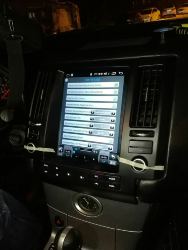
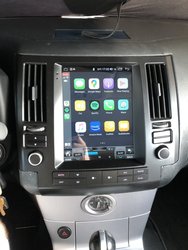
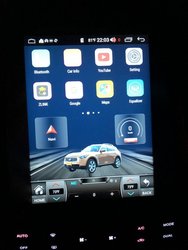
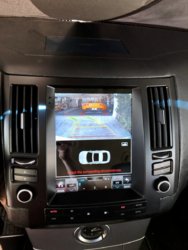
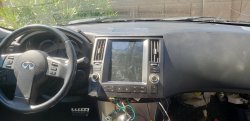
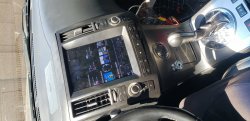
I ended up purchasing this unit from Aliexpress from a seller by the name of KiriNavi. I went with the 8 core, 4gb RAM, 64gb storage and CarPlay and I am pretty happy with it. It’s not quite perfect as the CarPlay doesn’t always connect right away and it doesn’t seem to be able to read the tpms like the original screen did but the AC controls are great, steering wheel controls integrate well, the touch screen is very responsive. I added a backup camera as my 2005 didn’t have one, (orange screen model), and I was very surprised to find that this unit reads steering angle from the CAN bus lines to give an indication of where you might end up while reversing. Sure that’s not necessary, but it’s neat to see this feature. The Bluetooth works pretty well. Normal android functions work as you would expect. If anyone has any questions about this feel free to ask. I’m very impressed with it and would recommend it. It’s like having a new car.
US $465.34 47% OFF|KiriNavi Vertical Screen Tesla Style 10.4
 

Attachments

  • 48A3BB0C-FF3E-4404-B396-AC6200CCBBD9.jpeg
    48A3BB0C-FF3E-4404-B396-AC6200CCBBD9.jpeg
    151.2 KB · Views: 2,335
  • D882685C-FC02-46D4-8CBF-A68E1E98AB49.jpeg
    D882685C-FC02-46D4-8CBF-A68E1E98AB49.jpeg
    105.4 KB · Views: 829
  • 1BFB7A84-642F-455E-A106-7C3117B79C93.jpeg
    1BFB7A84-642F-455E-A106-7C3117B79C93.jpeg
    162.2 KB · Views: 854
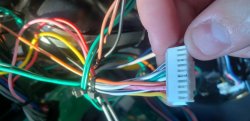
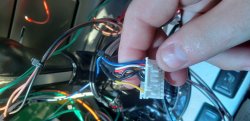
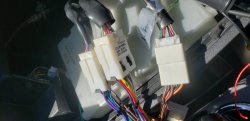
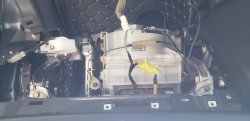
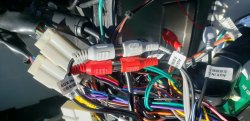
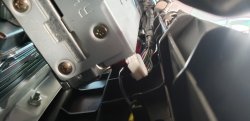
Hi guys I purchased this unit last month for $650 I just started installing 2 days ago I have no idea what to do the audio does not work. I have no control over the AC box and the company sent me a video where I have to pull out a 36 pin connector from under my dash. I took out the glove box and cannot find that 36 pin connection any where so I'm in AZ 100 degree weather and have had no audio or AC for days.
 

Attachments

  • 15957837600807878478903621593866.jpg
    15957837600807878478903621593866.jpg
    144.6 KB · Views: 471
  • 20200726_100903.jpg
    20200726_100903.jpg
    96.5 KB · Views: 517
  • 20200726_100851.jpg
    20200726_100851.jpg
    110 KB · Views: 462
  • 20200726_100838.jpg
    20200726_100838.jpg
    142.7 KB · Views: 480
  • 20200726_100634.jpg
    20200726_100634.jpg
    82.2 KB · Views: 448
  • 20200726_100622.jpg
    20200726_100622.jpg
    94.5 KB · Views: 436
  • 20200726_100612.jpg
    20200726_100612.jpg
    99.5 KB · Views: 440
  • 20200726_100557.jpg
    20200726_100557.jpg
    106.5 KB · Views: 446
  • 20200726_100550.jpg
    20200726_100550.jpg
    97.6 KB · Views: 419
  • ae_1595782149305.jpg
    ae_1595782149305.jpg
    145.6 KB · Views: 399
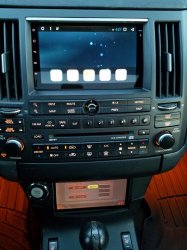
I had a 7" Android unit in my 2003 FX45. I move the OEM radio down to the ashtray area. Looks like the Tesla style unit is the way to go now. Just curious the sound quality of the Tesla style unit. I have to have an amp and sub for the Android unit to have a decent sound.
20161230_162802.jpg
 
I would stick with that set up for sure dawg
Do you have a snapchat I can send you a video. The sounds has alot more boom to it than my last unit definitely but this tesla style is so so difficult to wire its ridiculous I'm working on it rn
 

Attachments

  • 1595786569073194953250000957181.jpg
    1595786569073194953250000957181.jpg
    164.3 KB · Views: 289
Hi guys I purchased this unit last month for $650 I just started installing 2 days ago I have no idea what to do the audio does not work. I have no control over the AC box and the company sent me a video where I have to pull out a 36 pin connector from under my dash. I took out the glove box and cannot find that 36 pin connection any where so I'm in AZ 100 degree weather and have had no audio or AC for days.
 

Attachments

I have attached a pdf that should show you how to get the AC working. The two green wires (one with a black stripe) have to be spliced to the red and blue CAN BUS wires.

As for the amplifier, go to settings, the mobile phone looking icon, then click sound, then go to AMP ON/OFF and turn it to on.
 
I have attached a pdf that should show you how to get the AC working. The two green wires (one with a black stripe) have to be spliced to the red and blue CAN BUS wires.

As for the amplifier, go to settings, the mobile phone looking icon, then click sound, then go to AMP ON/OFF and turn it to on.

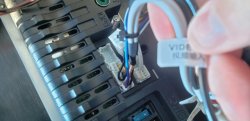
You are such an angel I'm still sitting in my car freaking out over this this hahah!!!! Yes audio is good now! Very nice and loud. Do I have to keep the audio L and R cables connected? Like shown in the photo? Also mine is 2006 fx35 if this helps.
 

Attachments

  • 15957874907041491221204974911877.jpg
    15957874907041491221204974911877.jpg
    93.1 KB · Views: 371
  • 15957875197296266758359059229285.jpg
    15957875197296266758359059229285.jpg
    135.8 KB · Views: 307
I have attached a pdf that should show you how to get the AC working. The two green wires (one with a black stripe) have to be spliced to the red and blue CAN BUS wires.

As for the amplifier, go to settings, the mobile phone looking icon, then click sound, then go to AMP ON/OFF and turn it to on.
Mine does not have canbus box
 
I have attached a pdf that should show you how to get the AC working. The two green wires (one with a black stripe) have to be spliced to the red and blue CAN BUS wires.
I have this disconnected under dash board I removed my glove compartment

As for the amplifier, go to settings, the mobile phone looking icon, then click sound, then go to AMP ON/OFF and turn it to on.
 

Attachments

  • 15957876663075221413079259267443.jpg
    15957876663075221413079259267443.jpg
    80.6 KB · Views: 242
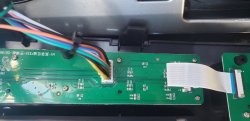
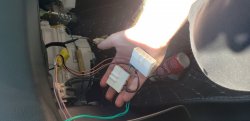
Right. On yours you don’t go behind the glove box. You have to tap a plug that used to go to the orange lcd screen
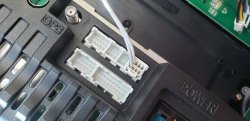
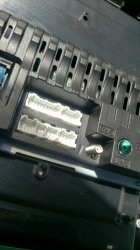
This is my stock monitor cable.
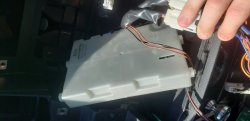
And this is the box under the glove box it still attaches to my wire harness. The old monitor cable does not click into the tesla screen or harness
 
Back
Top