tomwetherald
Member
- Location
- San Diego
- Car
- 06 FX35 Sport AWD
So I don't see any write ups on here about the android and Iphone app for reading OBDII data. Not sure if this is the right category to put this in.
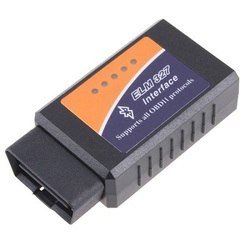
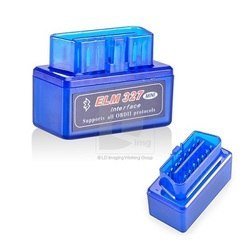
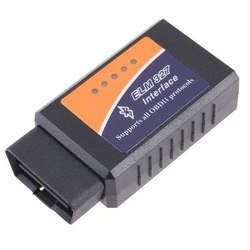
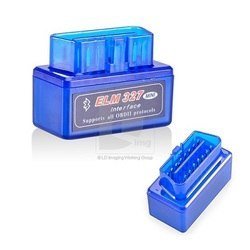
There is a paid and a free version of the Torqueapp in the android market. They recommended using the Kiwi Bluetooth adapter over some of the cheaper alternatives.
The torque site claims the following features:
View Live Data:
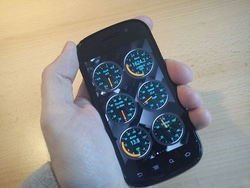
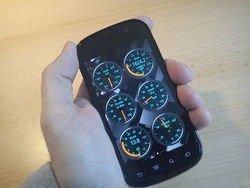
The app gives you a few dials for starters, but you can add from a list of different dials graphs and displays. I also went ahead and changed the dials to an orange theme to match the dash in my FX35. There is a list of displays available, and if you’re connected to the ECU the ones with data have an asterisk next to them helping you choose the ones you want to display. Once you choose a display to add, the app gives you a choice of size.
Issues:
The free version of the app has quite a few sensors that can be displayed. I went ahead and got the paid version. It gets updates faster, and I think you have to have the paid one for the track recorder.
Track recorder
There is an add on track recorder which you can use by mounting your camera on the dash, and connecting to the computer via the dongle. The recorder records the video and audio as you drive, with what ever gauges you choose to display on there. You can play back the video and see your rpm, speed or a number of other dials overlaid on the video.
These are stored in separate files on your device. but you can export the video to a file with the data overlaid.
///9366[/ATTACH]
Ill upload screenshots to this later. snagged these off the web
There is a paid and a free version of the Torqueapp in the android market. They recommended using the Kiwi Bluetooth adapter over some of the cheaper alternatives.
The torque site claims the following features:
- View live OBD engine data on your Android phone – Connect to your vehicle ECU
- Fully customisable dashboard screens – Design your own layouts and custom dials, use your own themes
- Retrieve Fault Codes (DTCs) and clear Check Engine lights – View fault descriptions using the built-in databases
- Upload live OBD2 data to your webserver or the torque web viewer in realtime
- Check the performance of your vehicle with BHP / Torque / 0-60 & Quarter Mile widgets
View Live Data:
The app gives you a few dials for starters, but you can add from a list of different dials graphs and displays. I also went ahead and changed the dials to an orange theme to match the dash in my FX35. There is a list of displays available, and if you’re connected to the ECU the ones with data have an asterisk next to them helping you choose the ones you want to display. Once you choose a display to add, the app gives you a choice of size.
Issues:
The dials do not update instantly, there is a slight delay before the displays show what is happening. I set the Faster communication check-box, but the dials still have a delay. for the logging feature this may work fine though.
The free version of the app has quite a few sensors that can be displayed. I went ahead and got the paid version. It gets updates faster, and I think you have to have the paid one for the track recorder.
Reading Fault Codes
I have used the scanner to read codes for several peoples cars. not only does it read the code, but it also lets you click it and search for what it means. You can also email yourself the code info before clearing it.Track recorder
There is an add on track recorder which you can use by mounting your camera on the dash, and connecting to the computer via the dongle. The recorder records the video and audio as you drive, with what ever gauges you choose to display on there. You can play back the video and see your rpm, speed or a number of other dials overlaid on the video.
These are stored in separate files on your device. but you can export the video to a file with the data overlaid.
///9366[/ATTACH]
Ill upload screenshots to this later. snagged these off the web
Attachments
Last edited: