Front camera issue

Ashephillis

Member
Car
2009 FX50S
Name
ASHE
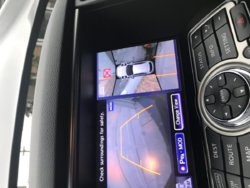
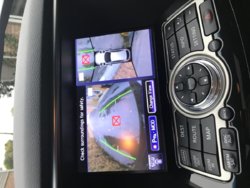
I did the 2012 front end upgrade on my 2009 fx50. The new grille came with the new camera already installed. The 2009 does not want to read the 2012 camera for some reason . i have the grey block w a red x in the all around view, but whats weird is that the camera works when switched to front camera only mode.

I have accessed the diagnostic mode by holding the setting button and rototing the volume knob. The front camera connection has the NG abbreviation, assuming it means no good. If memory serves me correctly another member on here had the same issue and he had to ghetto rig the old camera onto the new grille. I do not want to do that. There has to be a way to recalibrate the ecu.

It doesn't make sense, the cameras look the same and have the same connectors and wire colors. I haven't caved in and gone to the dealer yet, i wanted to see if anyone on here had any advice. Thanks.
 
It looks like the software running on the computer doesnt recognize the new camera. If they are the same can you just use the old cam in the new grille?
 
It looks like the software running on the computer doesnt recognize the new camera. If they are the same can you just use the old cam in the new grille?

The connection is the same, wire colors the same, but the way it mounts is actually different . I'm going to mess around with it tomorrow
 
Is the camera for the jx and the fx the same? I'm about to buy a front camera from eBay and I'm noticing that most of them say qx60, some of them say both.
 
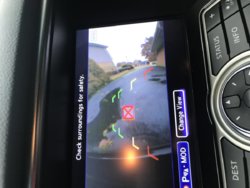
There must be something different.. I have '14 qx70s and recently upgraded front grill from 2015 or '16 I believe, which I bought from fellow member here, and camera worked but showed big X on the screen. I switched to my original and no issues. I have 2 extra front cameras, ill take a look tomorrow
 
There must be something different.. I have '14 qx70s and recently upgraded front grill from 2015 or '16 I believe, which I bought from fellow member here, and camera worked but showed big X on the screen. I switched to my original and no issues. I have 2 extra front cameras, ill take a look tomorrow

Cool, thanks! Let me know..
 
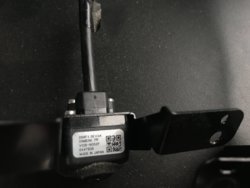
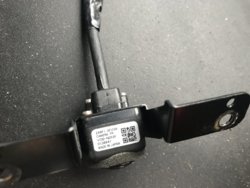
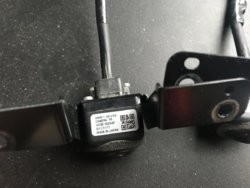
Im sorry for late updates. Ok so i did some testings. I have 3x front cameras, all of them oem but only one which came with the car works. I mean all of them works but 2 o ther ones shows big X on the screen.
All of them are different only with last number
..77 number is camera which came with the car. Have no clue what its all about, might me program or something. I have no other car to test it
 

Attachments

  • IMG_1741.JPG
    IMG_1741.JPG
    147.9 KB · Views: 780
  • IMG_1742.JPG
    IMG_1742.JPG
    165.5 KB · Views: 914
  • IMG_1743.JPG
    IMG_1743.JPG
    127 KB · Views: 910
  • IMG_1745.JPG
    IMG_1745.JPG
    126.2 KB · Views: 634
  • IMG_1746.JPG
    IMG_1746.JPG
    179.2 KB · Views: 645
  • IMG_1747.JPG
    IMG_1747.JPG
    155.4 KB · Views: 556
That's SO weird... It works but it just puts an X right in the middle of the screen... What would be the purpose of doing that???
 
The other cameras does not match your around view control unit, you must do calibration and save the changes, once it writes to the control unit it will not display the un-match(with the big X) camera.

It specifically says when replacing camera or control unit, calibration must be done, I'm assuming it's like a software/hardware issue like having a driver installed.

It's better to having the Service Manual under (AV-245) AV-Calibrating Camera Image.

You can try adjusting the front only and saving it.
Hope this helps.
 
Last edited:
Back
Top