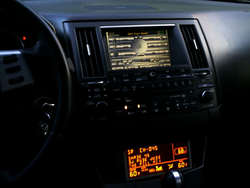
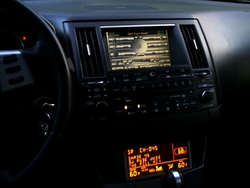
there are several ways to set the tablet up that you won't ever really have to touch the power button in normal use but you will always need a way to should something go wrong, like if the tablet battery goes dead.
basically if you set it up where the screen times out in 15 seconds, then set it to never go off while under external power then it will work fine, when you start the car it will wake and be on immediately and the screen will turn off 15 seconds after you turn the car off. the tablet can sit idle for days and always be ready but there can be certain times when something may stay running in the background and kill it by the next day too. for example if I'm listening to Pandora and pull into my driveway, turn the car off and go inside, the tablet can connect to my home network ands continue to stream Pandora all night, and I may find a dead tablet in the morning.
there are several ways to tweak and tune to eliminate stuff like this. for example there are apps like tasker and automate it which can be set up to automatically turn stuff on and off with power state changes or even depending on location. I have mine now set that when I shut the car off the tablet automatically turns Bluetooth and wifi off, kills Pandora and waze so nothing stays running and I never have to worry about the tablet turning off from a dead battery unless I park the car for a week or so, then even if it does die, of course then you'd have to get at the power button.
there are a lot of ways to provide emergency access to the button, an electric plunger like a door lock actuator could be used, even a bicycle brake cable may be used to allow remote pressing, or, since it's only very rare that you'll even have to, you may just be able to have no access and just pull the bezel out a bit on the odd occasions you must. again, once it's set up you rarely will ever need to...
nothing compares to a tablet like this in the dash, they are so configurable and customizable. for example one finger swipe up on my home screen brings up Pandora, so music control is always only a home press and swipe away, both requiring not even looking at the screen... for nav I set up to swipe down with 2 fingers, again getting to what you need can be set up to be very easy and intuitive.
voice recognition also really makes something like this so convenient and worthwhile. in my new car, to navigate I would have to go through menus, then use a joystick to select individual characters etc... what a nightmare... with the tablet it's a simple as just pressing a button, then saying where you want to go or what you are looking for... yes, even while driving down the highway... several nav programs have live traffic feeds and there are a few community based nav apps to. for example I use something called waze... it has a ton of members and it uses 2 way communication with all it's users so it has a finger on the pulse of live traffic like no other, it also allows users to notify of cops hidden, road construction, etc etc.... awesome app and awesome way to travel. it is so useful that it's more than just navigation. for example I use it every day for back and forth to work. doesn't mater that I already know how to get there because this is much more than just directions. live traffic, construction, speed traps, at any given point you can click on routes and it will show you several possible routes and the traffic and time differences for each.
only thing is, for this and much other in car use, you really do need a good data plan. a tablet without live data is almost not even worth doing... it's the live data that really makes the tablet amazing in the dash. I have Verizon phone with unlimited data that I tether to the tablet so it always has a data connection. without data then a more conventional car stereo may actually be more useful but with data it blows away all the alternatives