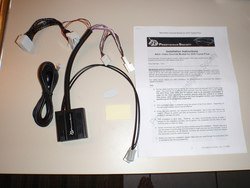
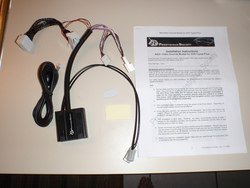
Enable AUX/Video input while driving

Status
Not open for further replies.
Rijc99 thanks for your time to post this! I just dis mine yesterday and I love it man! Thanks thanks thanks haha the only thing I put everything back like it gos look clean and nice! But the check engine came on I'm not pist or anything because Is nothing just wanted to know if anyone new how to reset the check engine PR any by pass on that.. Thanks again man looks so sweet..
 
Just curious why nobody had done the kg technology mod instead?

What is KG technology mod?

---------- Post added at 05:40 PM ---------- Previous post was at 05:38 PM ----------

The check engine just turned of lol happy! :)

When working with nav mod,it always gives you check engine light and flashing airbag after that. Ecu reset works usually or aibag reset.

Nothing major. But if you don't reset it and go to dealer,they will pull up "Speed wire" error code and you screwed :tdown:
 
Just wondering what the switch is for and if it is just a toggle switch and are you just cutting the wire from the harness and grounding it to the vehicle or addind a new wire? Thanks for the help
 
According to the KP Tech install manual on the web site: "For safety reasons even with this module installed the AUX video input still will NOT work while the vehicle is in motion."

Can anyone confirm this?
 
According to the KP Tech install manual on the web site: "For safety reasons even with this module installed the AUX video input still will NOT work while the vehicle is in motion."

Can anyone confirm this?

confirmed will not work, but also heard that it's a very easy mod to make it work. I asked him and he wouldn't say just said it was very easy.
 
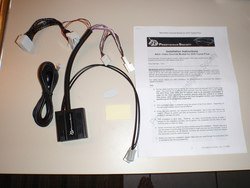
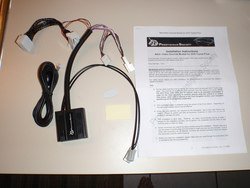
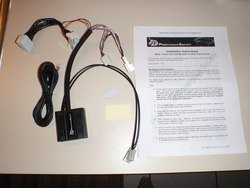
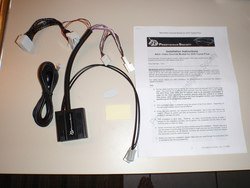
What about the Prestigious Society Nav unit instead? Their site implies it does work for the factory DVD\video option, but they don't specifically mention the aux input.

Also, they say comes with a wired remote which has two buttons (nav and tv). I'd prefer to use one of my open factory switch locations instead, but don't know how their remote is wired. Anyone have this unit and modded the remote part of it?
 
What about the Prestigious Society Nav unit instead? Their site implies it does work for the factory DVD\video option, but they don't specifically mention the aux input.

Also, they say comes with a wired remote which has two buttons (nav and tv). I'd prefer to use one of my open factory switch locations instead, but don't know how their remote is wired. Anyone have this unit and modded the remote part of it?

what is the link to what you are referring to? I'd like to check it out and do some research.
 
Sorry. I wanted to post a link, but am too new of a member so the system wouldn't allow it. Anyway, do a Google search for "Prestigious Society Navigation and Video" and you'll find it.

---------- Post added at 05:43 PM ---------- Previous post was at 05:39 PM ----------

I also found a forum thread where someone has modded the Prestigious Society unit's wired remote to use a regular switch instead. Search the forum for "Plug and play nav bypass no cutting".
 
Sorry. I wanted to post a link, but am too new of a member so the system wouldn't allow it. Anyway, do a Google search for "Prestigious Society Navigation and Video" and you'll find it.

---------- Post added at 05:43 PM ---------- Previous post was at 05:39 PM ----------

I also found a forum thread where someone has modded the Prestigious Society unit's wired remote to use a regular switch instead. Search the forum for "Plug and play nav bypass no cutting".

this looks great bweech! I'll post below the links you provided from google search:
http://www.prestigioussociety.com/?page_id=138
///12393
3956736770_90aca40e12_b.jpg

Sounds like a great alternative if you don't want to soder anything and want that video playback as well while driving from my understanding. Great find! So, you ordering one? Where you plan on putting the switch?

---------- Post added at 06:12 PM ---------- Previous post was at 05:37 PM ----------

jbaker wrote in the thread link above:
"Theirs is nice because it goes back to NAVI mode after 5 minutes (AKA back to regular NAVI mode blocking input while moving)"

I wonder than if you were watching a movie through the ipod aux input if after 5 minutes it would stop the video pretty much defeating the purpose of watching a movie?

I also wonder if it automatically removes the "OK" screen like the kptechnologies does?
 

Attachments

  • 3956736770_90aca40e12_b.jpg
    3956736770_90aca40e12_b.jpg
    112 KB · Views: 42
  • 3956736770_90aca40e12_b.jpg
    3956736770_90aca40e12_b.jpg
    112 KB · Views: 43
  • 3956736770_90aca40e12_b.jpg
    3956736770_90aca40e12_b.jpg
    112 KB · Views: 48
  • 3956736770_90aca40e12_b.jpg
    3956736770_90aca40e12_b.jpg
    112 KB · Views: 50
  • 3956736770_90aca40e12_b.jpg
    3956736770_90aca40e12_b.jpg
    112 KB · Views: 50
Last edited:
I'm seriously thinking about it, but want to figure out a few of these questions first. Unfortunately, according to the Prestigious Society web site there isn't a dealer near me that carries them to even ask. I might have to email support.

From their FAQ it sounds like it will keep working until you switch it off so I don't understand the 5 minute comment:
Will any of my navigation features be affected when the system is activated?
When our system is activated the map interface will be temporarily suspended. This is not an issue as the purpose of activating our system is to gain access to other interfaces such as address inputting or phone features. Upon completing your task, simply deactivate our system and the map will resume operation and most importantly the GPS will re-establish and recalibrate your position on the map interface.

Is a switch required to work with your product?[FONT=&lt]
Our system is designed to be there only when it’s needed. Our system can be activated and deactivated by simply pressing a button on our switch. [/FONT]

I'm planning on getting an extra OEM AFS switch and putting in the blank for DCA (which is right next to the existing AFS switch).
 
Last edited:
Looks like no splicing or anything is needed, so you could do this yourself really easily even if you are not handy with wires.

Ah, so you don't have the tech package right? Nice that you have blanks available.

Let me know what they say when you hear form them, whether through the thread or PM.

---------- Post added at 01:58 AM ---------- Previous post was at 01:40 AM ----------

check out all the various mounting locations by these guys:
http://www.facebook.com/media/set/?set=a.435031452064.208100.119186287064

"Again our product is 100% reversible and 100% plug and play. Absolutely no wiring modification is required!"

"Just installed the Navigation and Video Enhancement Module on my '08 Infiniti G37 and I can't express enough on how happy I am with it! I have absolutely NO electrical/mechanical experience and it took me about 45 min. Instructions are dead on!! Great product, worth the $$$! Thanks!"

"Just got it installed on my 2011 fx35! I can operate my gps and watch dvd's on the road! THANKS
P. S!"

all from user comments: http://www.facebook.com/pages/Prestigious-Society-Inc/119186287064

These guys look fantastic....I'm going to send an email to them. Going to give them some other ideas they can possibly R&D and possibly even join our site and test on our vehicles to push out products for us......there's a ton of electrical mods I'm interested in and looks like these guys from CA are a good bet.....I'll keep everyone posted.
 
I contacted them, part of their response:

"Yes, our system is designed to enable all the motion lockouts associated with your navigation system as well as video playback limitation. Our system, however, DO NOT bypass the "OK" screen automatically.

Yes, we are definitely willing to listen what you and other forum members are interested in. As matter of fact, our Infiniti and Nissan Enhancement System was built based on the request of some of our existing Lexus/Toyota clients who also owned Infiniti and Nissan and wish to have a system that is 100% plug and play and 100% reversible."

They will be joining in some time within the next couple days is my guess. They are based in CA and are open to our ideas and suggestions for their development to sell to us.
 
Thank you for contacting them, as my schedule got too busy to do it. When you say they will be "joining us" what does that entail? Any chance of a group discount or buy option for their nav/video module?
 
Last edited:
Joining meaning getting on this site, but not sure the timeline. They are interested in our ideas and could potentially produce more things for us depending on our ideas and how many are interested I'm sure.

"As to the forum, we will look into it more because we know some of the forum rules are very strict and will not allow non-sponsored vendor to post anything information." was their response.

I also asked them if they ever plan on bypassing the "OK" like kg technologies does and their response was: "At this time, we do not have plan to introduce one with the "OK" bypass capability. One of the reason is it becomes more intrusive and manipulative to the factory system rather than having a passive system (like ours) where it controls the various sensors instead." Actually the answer I was looking for anyway because the less the device actually messes with the car, the better imo.

As far as group discounts, maybe in the future, but nothing is certain. If you want it, I would buy it and not wait because we don't know for sure what they will decide. I'm buying it either tomorrow or the next day. They mentioned they have pictures and everything with step by step instructions.
 
Status
Not open for further replies.
Back
Top