Second FX45

cmon... everyone is always doing the same thing...
thats why were here

Hahaha no Ash He takes it to another level in person. He calls me just to tell me to read his visitor comments...its THAT bad! hahahahahaha
 
Last edited by a moderator:
July '08 Update

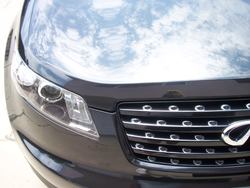
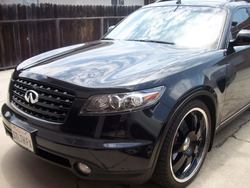
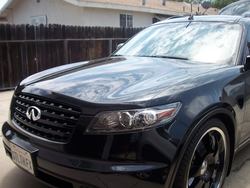
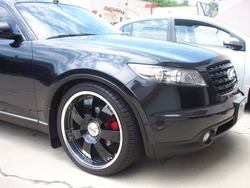
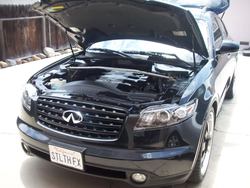
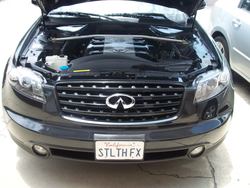
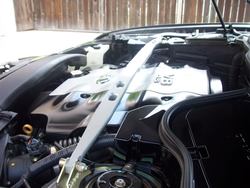
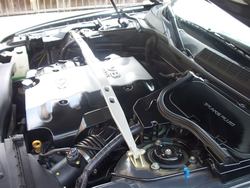
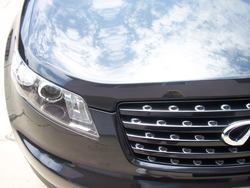
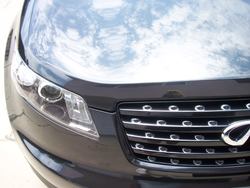
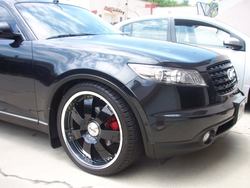
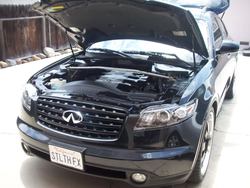
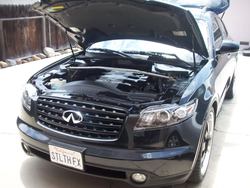
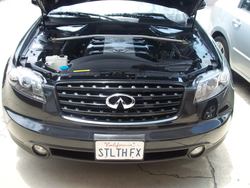
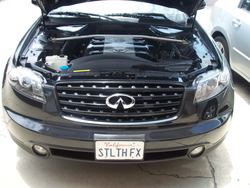
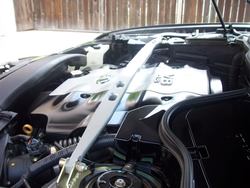
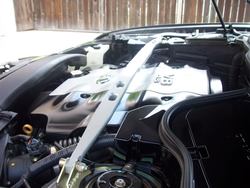
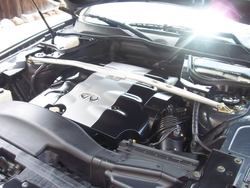
Well I hade about 4 hours to spare this morning and did a complete detail today..
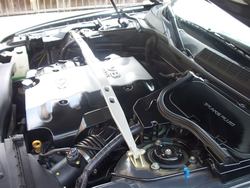
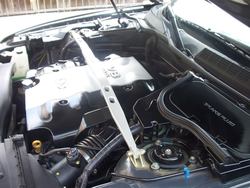
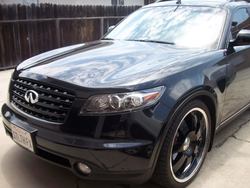
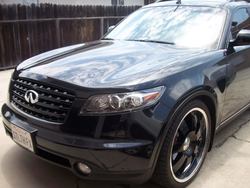
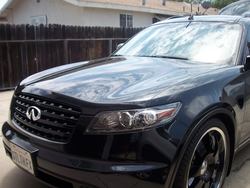
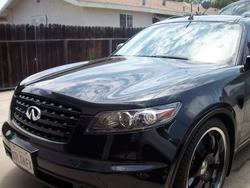
Just some misc. Pics of my Shilky Phantom Black Pearl color on my Baby and her Engine bay....

100_3251.jpg

Picture019-1.jpg

Picture018-1.jpg

Picture017-1.jpg

Picture015-2.jpg

Picture020-1.jpg

Picture013-2.jpg

Picture012-2.jpg

Picture011-2.jpg

Picture010-2.jpg

Picture009-2.jpg

Picture008-2.jpg

Picture007-2.jpg

Picture006-2.jpg

Picture005-2.jpg
 

Attachments

  • 100_3251.jpg
    100_3251.jpg
    34.1 KB · Views: 16
  • 100_3251.jpg
    100_3251.jpg
    34.1 KB · Views: 20
  • Picture019-1.jpg
    Picture019-1.jpg
    100.8 KB · Views: 16
  • Picture019-1.jpg
    Picture019-1.jpg
    100.8 KB · Views: 18
  • Picture018-1.jpg
    Picture018-1.jpg
    93.4 KB · Views: 15
  • Picture018-1.jpg
    Picture018-1.jpg
    93.4 KB · Views: 18
  • Picture017-1.jpg
    Picture017-1.jpg
    117 KB · Views: 11
  • Picture017-1.jpg
    Picture017-1.jpg
    117 KB · Views: 11
  • Picture015-2.jpg
    Picture015-2.jpg
    119.4 KB · Views: 10
  • Picture015-2.jpg
    Picture015-2.jpg
    119.4 KB · Views: 9
  • Picture020-1.jpg
    Picture020-1.jpg
    114.3 KB · Views: 9
  • Picture020-1.jpg
    Picture020-1.jpg
    114.3 KB · Views: 17
  • Picture013-2.jpg
    Picture013-2.jpg
    134.2 KB · Views: 11
  • Picture013-2.jpg
    Picture013-2.jpg
    134.2 KB · Views: 10
  • Picture012-2.jpg
    Picture012-2.jpg
    113.7 KB · Views: 14
  • Picture012-2.jpg
    Picture012-2.jpg
    113.7 KB · Views: 10
  • Picture011-2.jpg
    Picture011-2.jpg
    132.1 KB · Views: 12
  • Picture011-2.jpg
    Picture011-2.jpg
    132.1 KB · Views: 15
  • Picture010-2.jpg
    Picture010-2.jpg
    106.8 KB · Views: 10
  • Picture010-2.jpg
    Picture010-2.jpg
    106.8 KB · Views: 17
  • Picture009-2.jpg
    Picture009-2.jpg
    108.6 KB · Views: 12
  • Picture009-2.jpg
    Picture009-2.jpg
    108.6 KB · Views: 16
  • Picture008-2.jpg
    Picture008-2.jpg
    136.8 KB · Views: 21
  • Picture008-2.jpg
    Picture008-2.jpg
    136.8 KB · Views: 11
  • Picture007-2.jpg
    Picture007-2.jpg
    129.8 KB · Views: 11
  • Picture007-2.jpg
    Picture007-2.jpg
    129.8 KB · Views: 12
  • Picture006-2.jpg
    Picture006-2.jpg
    122.7 KB · Views: 19
  • Picture006-2.jpg
    Picture006-2.jpg
    122.7 KB · Views: 11
  • Picture005-2.jpg
    Picture005-2.jpg
    122.7 KB · Views: 30
  • Picture005-2.jpg
    Picture005-2.jpg
    122.7 KB · Views: 11
HA HA.... Just want to make sure and document how my baby looks now and how it will look when I finally get to the FI..

Had a put a hold on it since I am in Escrow and put money down for a new Town House..
 
Have always wondered this.. How do you add the tilde above the "n" in senor while typing? I can't figure it out.

+1

for some reason, I can't figure it out with the pc either... but yet... on my cell. phone... pocket pc has a button you push... and they ALL come up... é á ñ í ë £ ¥ ® © ¢ æ I can go on and on...
 
Last edited:
Have always wondered this.. How do you add the tilde above the "n" in senor while typing? I can't figure it out.

+1

for some reason, I can't figure it out with the pc either... but yet... on my cell. phone... pocket pc has a button you push... and they ALL come up... é á ñ í ë £ ¥ ® © ¢ æ I can go on and on...


Ok guys, lesson for the day señores. lol

to get the "ñ" you need to press "Alt" and press "1" "6" "4" while holding "Alt" down.

Now go and try it. lol
 
ñẽ
ñẽ
ñẽ
ñẽ
ñẽ
ñẽ

hahaha you can also use your Character Map in windows to do it......:wub:
 
Back
Top