Google Maps and other on Nav Screen?

Car
2009 FX 35
Hello everyone,

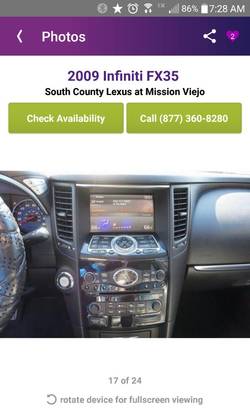
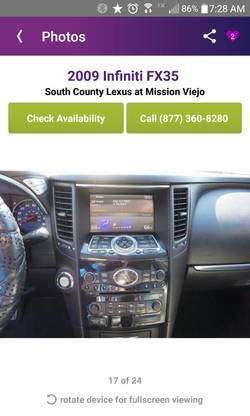
About a month ago, I joined the forum because I was in the market for a 2nd Gen FX. Well, I ended up buying a 2009 FX with Navigation and RCA jacks last Thursday and the first thing I did when I got home was to swap all the interior lights with white LEDs.

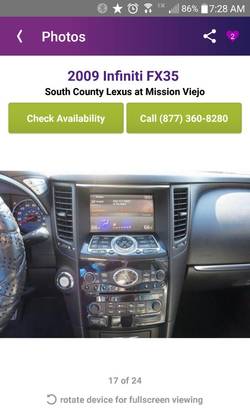
The next thing I did was to buy a smart phone mount because I use Google Maps on my androidsmartphone every time I get in the car because it always have up to date traffic. Although I could use the phone mount and phone to navigate, I was wondering if there is any new technology that would enable me to mirror my phone's screen onto the navigation screen on the FX. I read through the nav hack thread, but is there anything that's more plug and play?

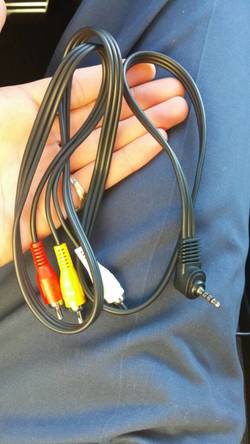
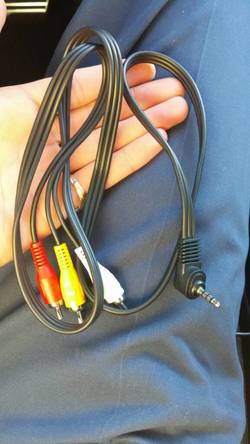
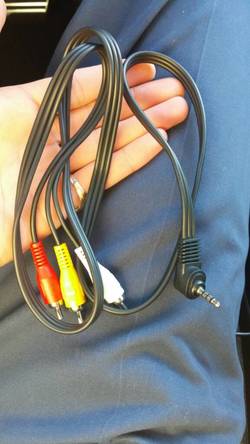
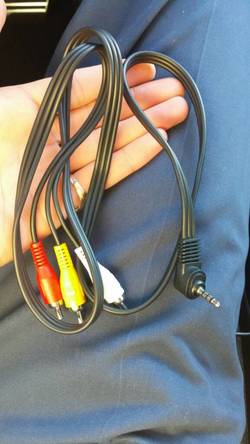
I tried doing the above mentioned using a basic RCA to 3.5mm cable but had no luck.
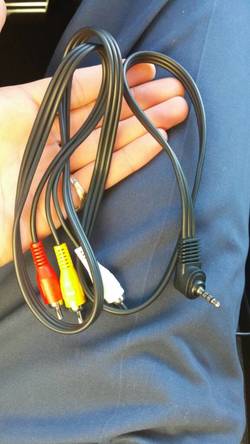
1c67964c57b105d9441a1c6579c764b3.jpg

Any thoughts?

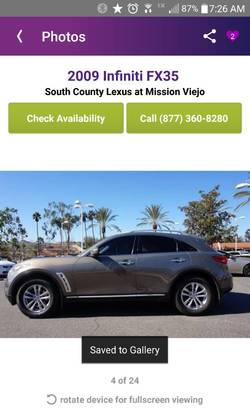
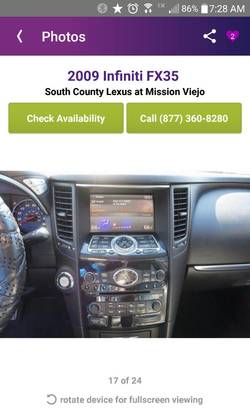
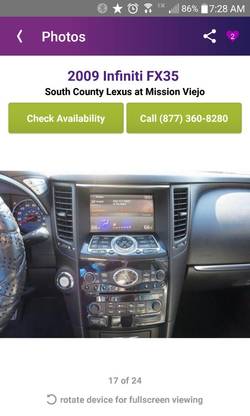
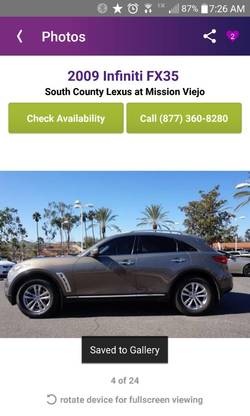
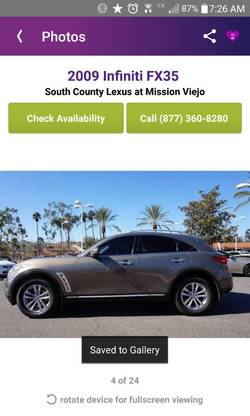
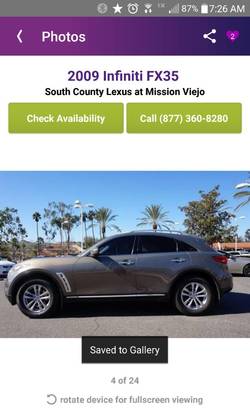
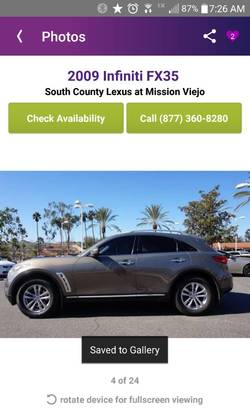
Here's the FX 35.
3d373369e7b8d6a77b399ce3e933dad9.jpg
b4a8a1f101c8e81dd82ee0b98b44b06d.jpg
 

Attachments

  • 1c67964c57b105d9441a1c6579c764b3.jpg
    1c67964c57b105d9441a1c6579c764b3.jpg
    73.5 KB · Views: 284
  • 1c67964c57b105d9441a1c6579c764b3.jpg
    1c67964c57b105d9441a1c6579c764b3.jpg
    73.5 KB · Views: 245
  • 1c67964c57b105d9441a1c6579c764b3.jpg
    1c67964c57b105d9441a1c6579c764b3.jpg
    73.5 KB · Views: 238
  • b4a8a1f101c8e81dd82ee0b98b44b06d.jpg
    b4a8a1f101c8e81dd82ee0b98b44b06d.jpg
    56.8 KB · Views: 240
  • b4a8a1f101c8e81dd82ee0b98b44b06d.jpg
    b4a8a1f101c8e81dd82ee0b98b44b06d.jpg
    56.8 KB · Views: 479
  • 3d373369e7b8d6a77b399ce3e933dad9.jpg
    3d373369e7b8d6a77b399ce3e933dad9.jpg
    62.5 KB · Views: 258
  • 1c67964c57b105d9441a1c6579c764b3.jpg
    1c67964c57b105d9441a1c6579c764b3.jpg
    73.5 KB · Views: 371
  • 3d373369e7b8d6a77b399ce3e933dad9.jpg
    3d373369e7b8d6a77b399ce3e933dad9.jpg
    62.5 KB · Views: 275
  • 3d373369e7b8d6a77b399ce3e933dad9.jpg
    3d373369e7b8d6a77b399ce3e933dad9.jpg
    62.5 KB · Views: 279
  • b4a8a1f101c8e81dd82ee0b98b44b06d.jpg
    b4a8a1f101c8e81dd82ee0b98b44b06d.jpg
    56.8 KB · Views: 260
  • b4a8a1f101c8e81dd82ee0b98b44b06d.jpg
    b4a8a1f101c8e81dd82ee0b98b44b06d.jpg
    56.8 KB · Views: 242
  • 3d373369e7b8d6a77b399ce3e933dad9.jpg
    3d373369e7b8d6a77b399ce3e933dad9.jpg
    62.5 KB · Views: 237
Last edited:
I did the nav hack, it is very very easy to do, and I am using the Samsung Media Hub to mirror my phones screen to the FX LCD but Google maps looks like crap on the cars LCD and it cuts out a very tiny portion of the phone screen. I only use it to watch music videos, watch movies and stream iHeart Radio or Pandora. Surprisingly video looks good even though Google Maps doesn't.
 
Last edited:
If I simply want to play a movie or watch youtube from my phone while parked and with the e-brake on, can I simply use the cable pictured above? For some reason, it isn't working for me. I have searched and found many threads saying the ebrake must be engaged, but I still can't play a movie from my android phone. Is the cable the wrong one?
 
I have never tried to play video using such a cable. I have one so I will give it a shot and let you know if it works. If such a cable was going to work, that would be the kind, you may just need to buy a really good brand name cable. I'm telling you though the nav hack is so simple I think you'd be surprised if you did it. The hardest part is deciding where you want to put the switch.
 
I'm open to the nav hack, but it would still leave me without a solution for playing video from my phone. The rca to 3.5mm cable won't do it even on park with the ebrake. I've searched for rca to micro usb cables, but they simply aren't made.
 
I always have this mod in my mind to do it on my 2009 FX35. I haven't done yet, but here is my plan.

- do the AUX Enabled hack as explained previously
- buy a HDMI to RCA VGA w/audio converter
- buy Male-Male HDMI cable
- buy a 110v 150w inverter cigar lighter plug
- use my old Apple TV to AirPlay video content wirelessly.
Connect Apple TV to inverter, HDMI to HDMI adapter and yellow, white and red RCA to Aux input on center console.

don't know it will work but I guess it will.


Sent from my iPhone
 
I had the same plan in mind. But there's gonna be a whole lot of wires and the entire armrest box will be filled. Was thinking of placing all that in the rear next to the spare tire and running a wire, but that'll require removing a bunch of things.. Would be great to see how you do it, pics would be awesome.
 
Ha, I did this like 2 months ago so that I can play airplay movies / pandora while driving.
 
@jdTrader which route did you choose to take? any details and pics?

exactly what ariele mentioned, although I used a new apple tv 4 64gb (found a new one sealed in box on ebay for $130 shipped). You're gonna need a newer apple tv, not one of the old ones that ariele mentions unless you also want to have a router in your car. apple tv 4 doesn't require airplay to be on a wireless network to airplay.
 
I was gonna use one of these for the NAV bypass because I really prefer not cutting into any wiring.. can anyone recommend any of them please:

QX70/FX35 2010 Onward with Nav - Car Kit Company
Beat-Sonic TVK-43 DVD Control Bypass Module
KP Technologies

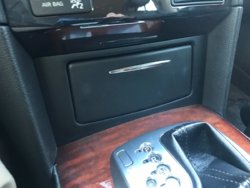
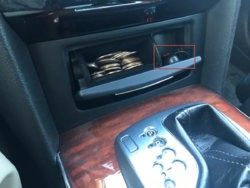
I have this and am very satisfied: Prestigious Society » Navigation and Video Enhancement Module » Prestigious Society. Have never had any issues. I have the button wired where the cigarette lighter is next to the coin holder so it's out of sight and easy to get to.

Here was my write up: Enable EVERYTHING while driving

If you were going to go with a cheaper alternative, I'd probably go with QX70/FX35 2010 Onward with Nav - Car Kit Company
I like a lot that you can turn it on/off from the mirror. I think that's awesome. I just don't know how good it is, if it has all the features the above allows you to do, etc.
 
Can you take a pic of the button installation in your car? Im curious to see what it looks like.
 
Now I know where you keep your change lol

no cigarette lighter hole?

I covered the whole with a one sided sticky black nice foam so it looks almost stock and all the power for the apple tv and stuff is being powered by the cigarette lighter that is under where the shifter is basically out of sight. I didn't cut anything just so that when I sell the car eventually, it can all go back to stock if needed.
 
@jdTrader Would it be safe to hide the power inverter and the AppleTV out of sight under the center console cover with Velcro or double-sided tape? just don't want anything to warm up too much and catch fire or anything..

@jdTrader and @ariele any chance you can also post a picture of the RCA and HDMI wire clutter in the center console storage box? just curious to see how it would look. sorry for the trouble.
 
@jdTrader Would it be safe to hide the power inverter and the AppleTV out of sight under the center console cover with Velcro or double-sided tape? just don't want anything to warm up too much and catch fire or anything..

@jdTrader and @ariele any chance you can also post a picture of the RCA and HDMI wire clutter in the center console storage box? just curious to see how it would look. sorry for the trouble.

It didn't fit under the center console cover for me so I just have it sitting in the storage box. There is not as much room under there as you may think considering the cup holders go deep.
 
Back
Top